![Sojo_logo_primary.png]](https://help.getsojo.com/hs-fs/hubfs/Sojo_logo_primary.png?width=80&height=40&name=Sojo_logo_primary.png)
We've made some improvements to your sojo Shipment Manifests for a smoother experience, designed to provide a clearer understanding of your shipment details, ensure all information on the manifest is correct and up-to-date, and make it easier to find all the information you need.
What’s New?
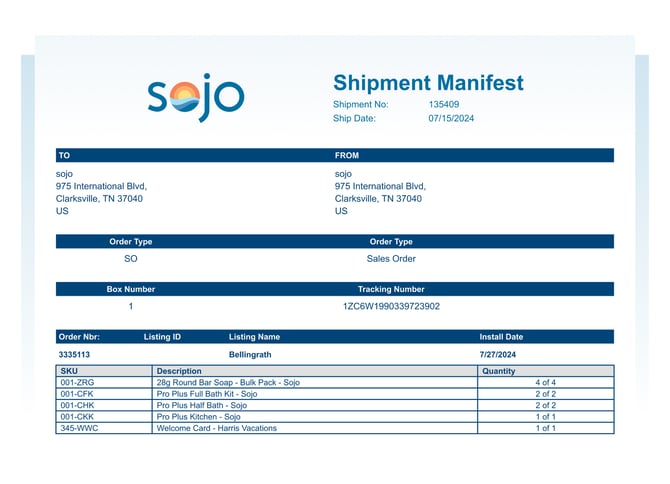
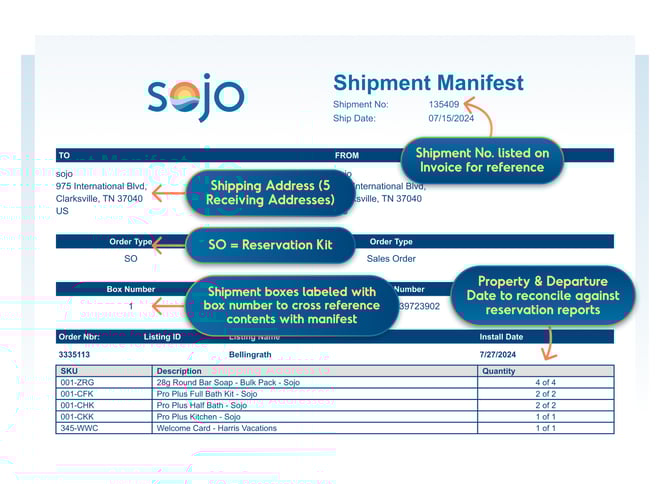
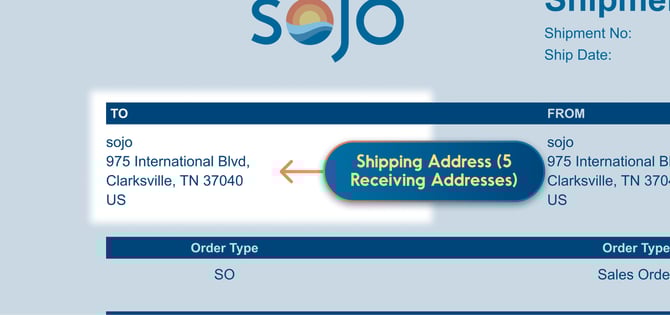
- Improved Shipping Address Display: The shipping address space is more clearly visible, making it easier to identify who the recipient is and with the ability to add up to five recipient addresses.
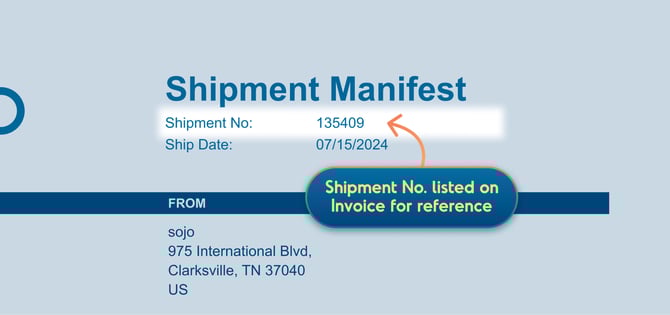
- Shipment Number: The shipment number is now displayed on invoices for easy reference!
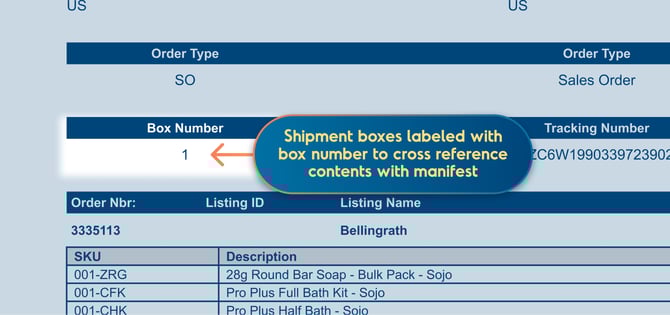
- Enhanced Order Information: The order number and listing name are now included in the shipment details, providing better context and traceability.
- You can find the shipment number listed on the top right for reference, and on the invoice. Under “Order Type,” SO is the reservation kit.
- Shipment boxes now come labeled with a box number that matches what is on the shipment manifest.
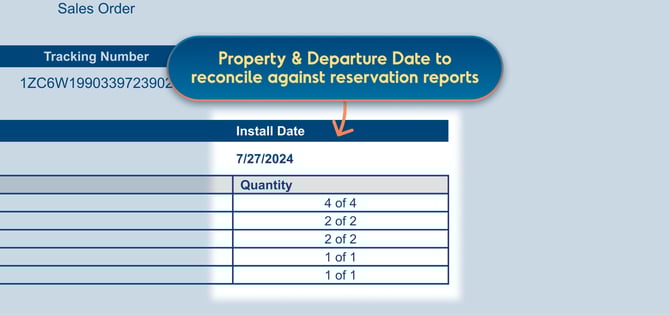
- The manifest breaks down install, or guest departure, date by property to make it easier to reconcile against reservation reports.
- Clearer Tracking Information: The tracking number is now displayed more prominently, making it easier to monitor the progress of your shipment.
Your Monthly Invoice Summary Email
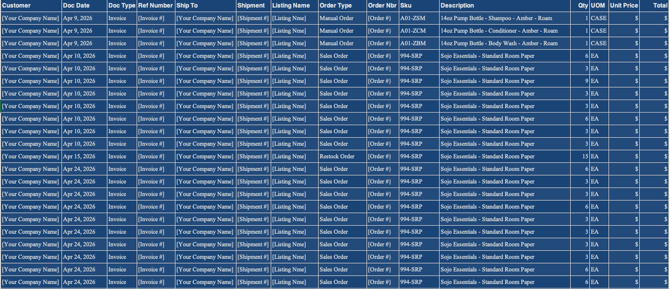
Each month, sojo sends an automated End of Month Invoice Details Report. This email provides a snapshot of all invoices issued during the prior month — a quick reference for your records and reconciliation.
What if the report is blank?
If you didn't receive any sojo invoices in the prior month (for example, if no orders were placed or fulfilled), the attached report will be empty. That's completely normal — it simply means there was no invoice activity to report for that period. No action is needed on your end.
Questions about a specific invoice or charge? Just reply to any sojo billing email or reach out to your CSM and we'll sort it out.