![Sojo_logo_primary.png]](https://help.getsojo.com/hs-fs/hubfs/Sojo_logo_primary.png?width=80&height=40&name=Sojo_logo_primary.png)
 What's New?
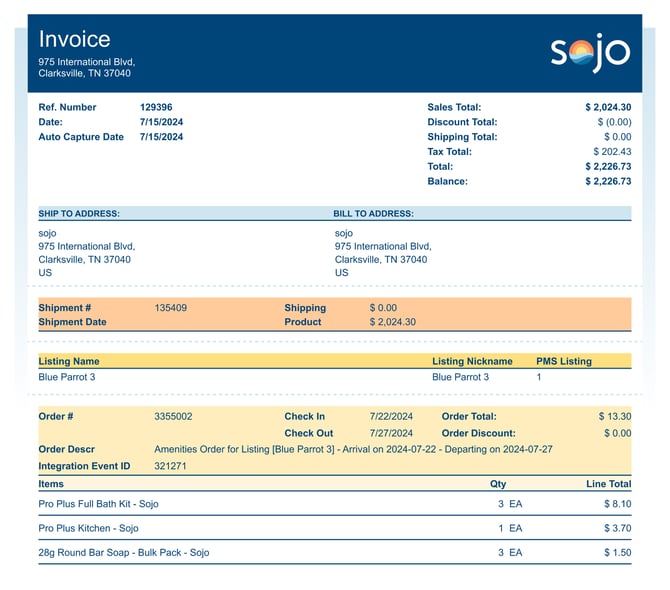
- Enhanced Invoice Breakdown: The invoice now includes a more detailed breakdown of the total amount due, separating sales, discounts, shipping, and taxes.
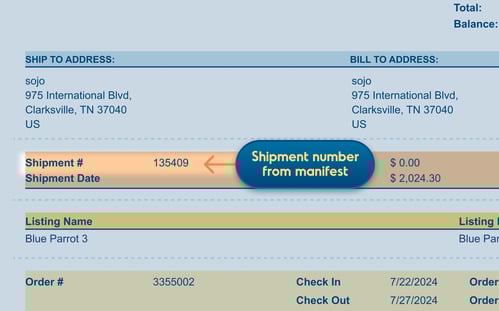
- Shipment Information: Each shipment number is now listed individually on the invoice, making it easier to track specific purchases and associated costs.
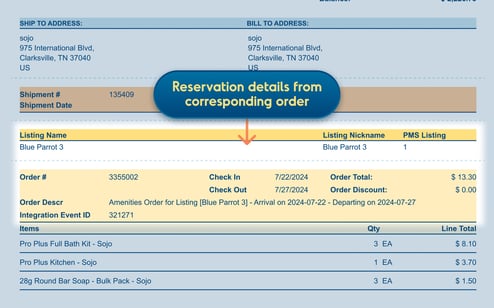
- Reservation Details: We've added more information about your reservation to the invoice, including reservation details from corresponding orders. You can still find the usual information on there as well, such as check-in and check-out dates, order number, and order description.
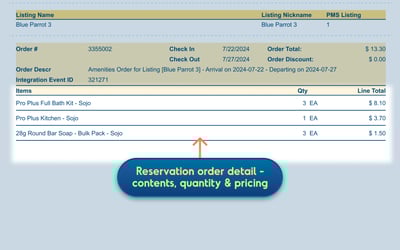
- Order Itemization: The itemized list of products has been improved to provide a better understanding of what you purchased and the corresponding costs. Here you’ll find reservation order details, including contents, quantity and pricing.
A Breakdown of Your sojo Invoice
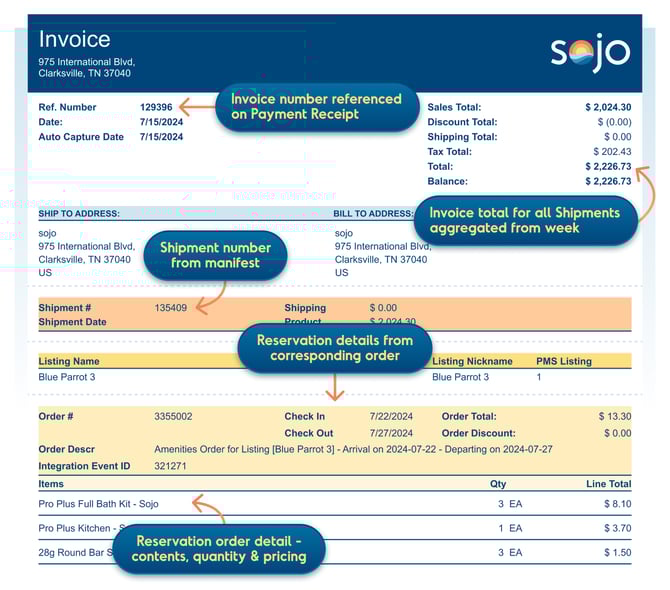
- Reference Number: A unique identifier printed in the top left corner of the invoice that can also be found on the Payment Receipt.
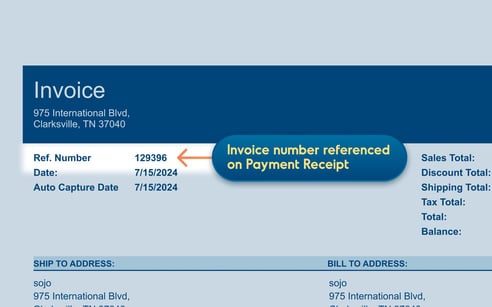
- Date: Date the invoice was issued.
- Auto Capture Date: Date the payment will be processed.
- Total: Total amount due, including products, shipping, taxes, and fees.
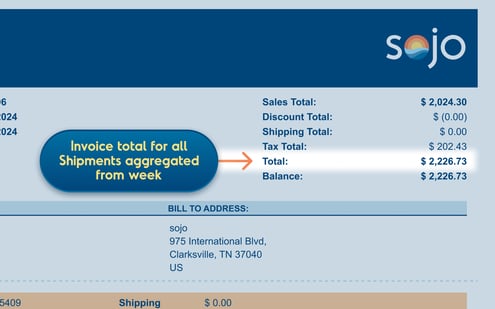
- Shipping Address: Address where the products were shipped.
- Billing Address: Address associated with the payment method on file.
- Shipment #: This is the shipment number listed on the Shipment Manifest.
- Order Details: Reservation and order details listed along with a breakdown of itemized products with the quantities and cost

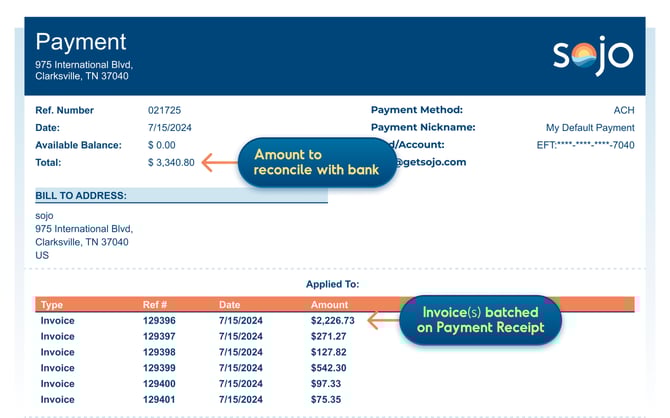
A Breakdown of Your Payment Receipt
Total: This is the amount to reconcile with the bank.
Applied to: The bottom section shows the amount of the invoices that has been batched on the Payment Receipt.
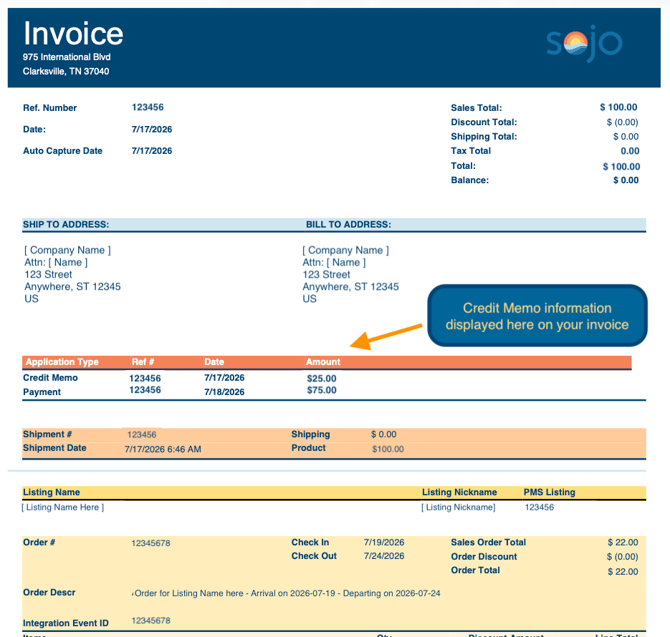
A Breakdown of Your Credit Memo
A credit memo shows a credit that has been applied to your account, typically to offset a previous charge or adjust the amount owed.
- Reference Number: The unique identifier for the credit memo.
- Date: The date the credit memo was issued.
- Total: The total amount of the credit being applied to the account.
- Applied To: Shows the invoice or charge the credit has been applied toward.
- Reason/Description: Provides additional details about why the credit was issued.
- Remaining Credit: If applicable, shows any portion of the credit that has not yet been applied.
How it works:
Credit memos reduce the amount owed on your account. If a credit memo is applied to an invoice, the credit will be reflected in the amount due for that invoice. If the full credit is not used, the remaining balance can be applied to future invoices.
You'll receive the following email with the attachments like the example below: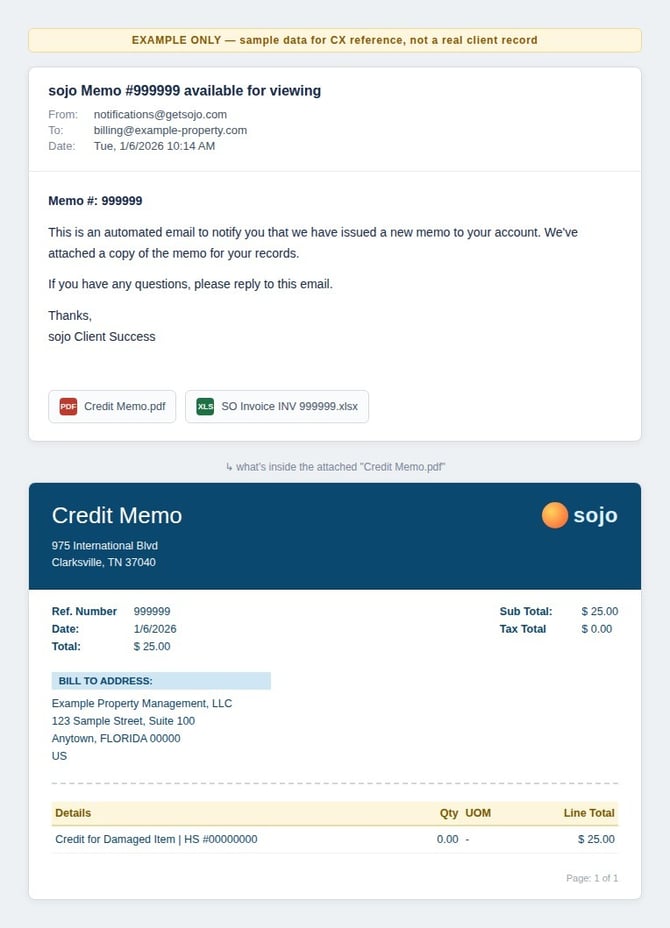
Example of the credit applied on an invoice: