![Sojo_logo_primary.png]](https://help.getsojo.com/hs-fs/hubfs/Sojo_logo_primary.png?width=80&height=40&name=Sojo_logo_primary.png)
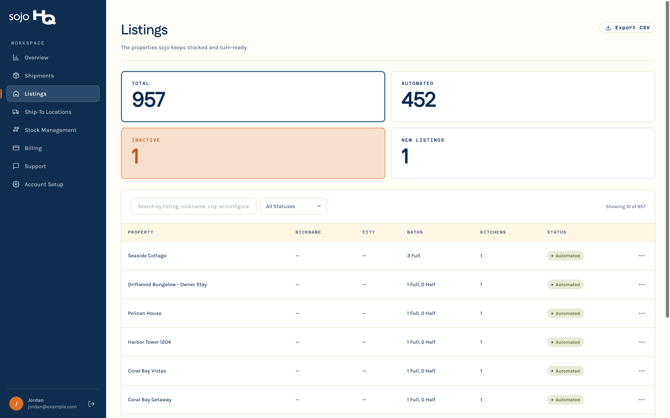
Click “Listings” in the left sidebar to see every listing pulled in from your integration.
Editing property details
If a listing has the wrong number of bathrooms or kitchens, click the three dots on the far right of that listing and select “Edit details.” A panel opens on the right where you can update bathrooms, half baths, and kitchens. Hit “Save changes” and you’re done.
.png?width=670&height=419&name=06b%20-%20Listings%20page%20(scrolled%20to%20list).png)