![Sojo_logo_primary.png]](https://help.getsojo.com/hs-fs/hubfs/Sojo_logo_primary.png?width=80&height=40&name=Sojo_logo_primary.png)
sojo's dynamic integration with LiveRez Ignite allows sojo to get real time property and reservation data. We'll use this to ship the right amenities at the right time.
Integration instructions:
While logged into your LiveRez Ignite system follow these directions to activate sojo:
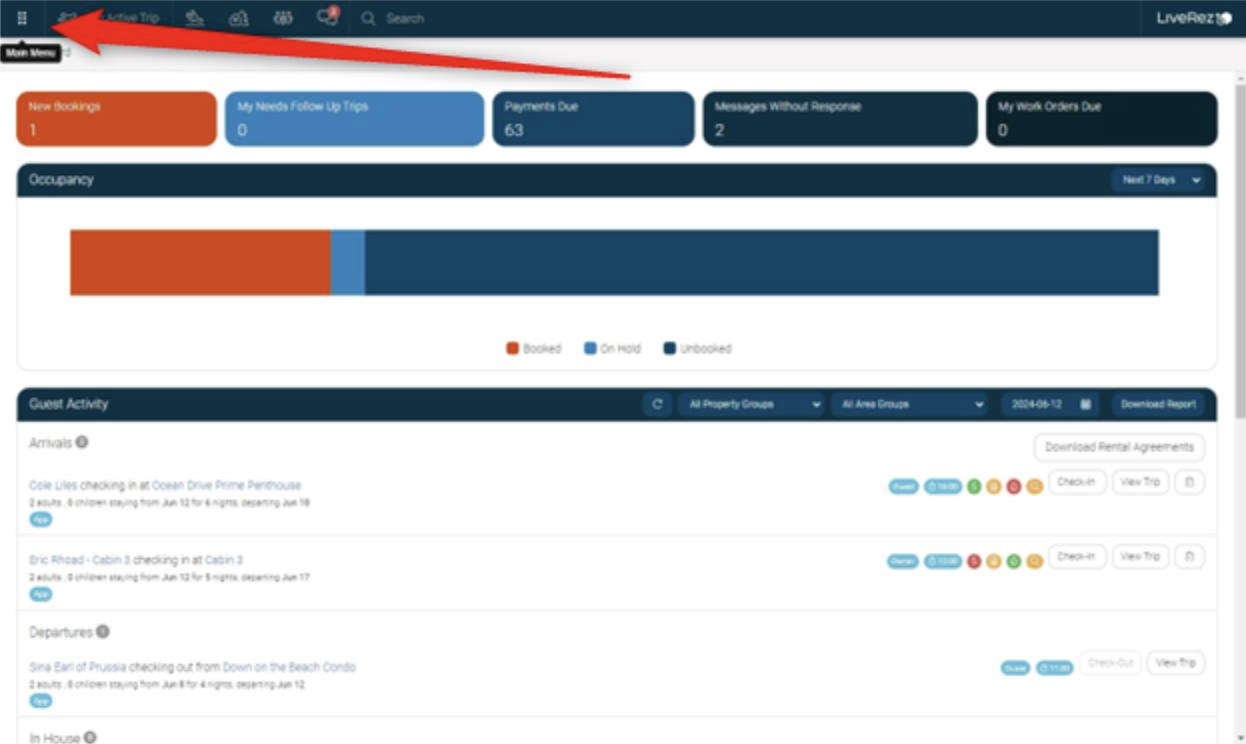
1. When logged into your system, go to the menu by clicking here:
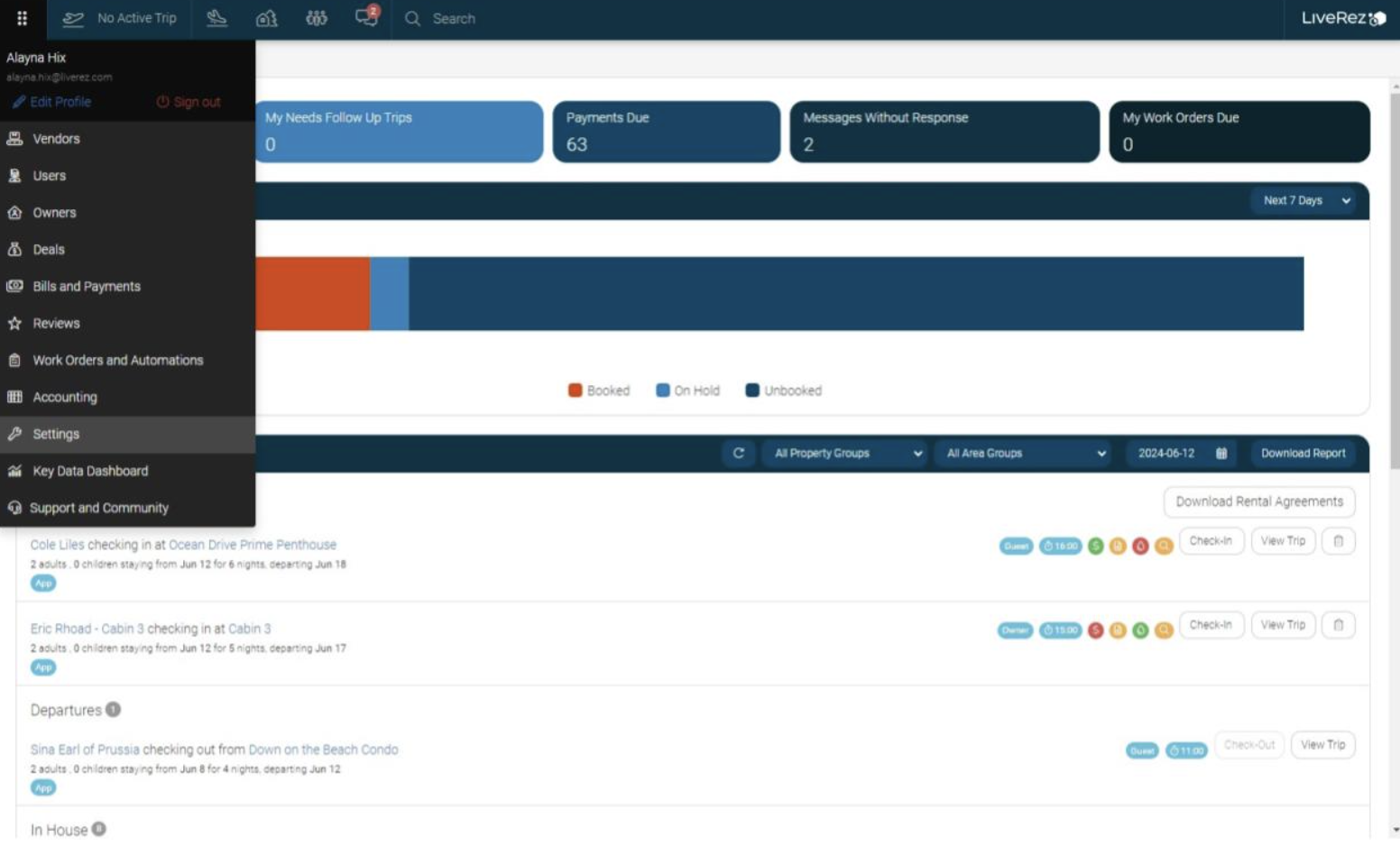
2. Click "Settings"
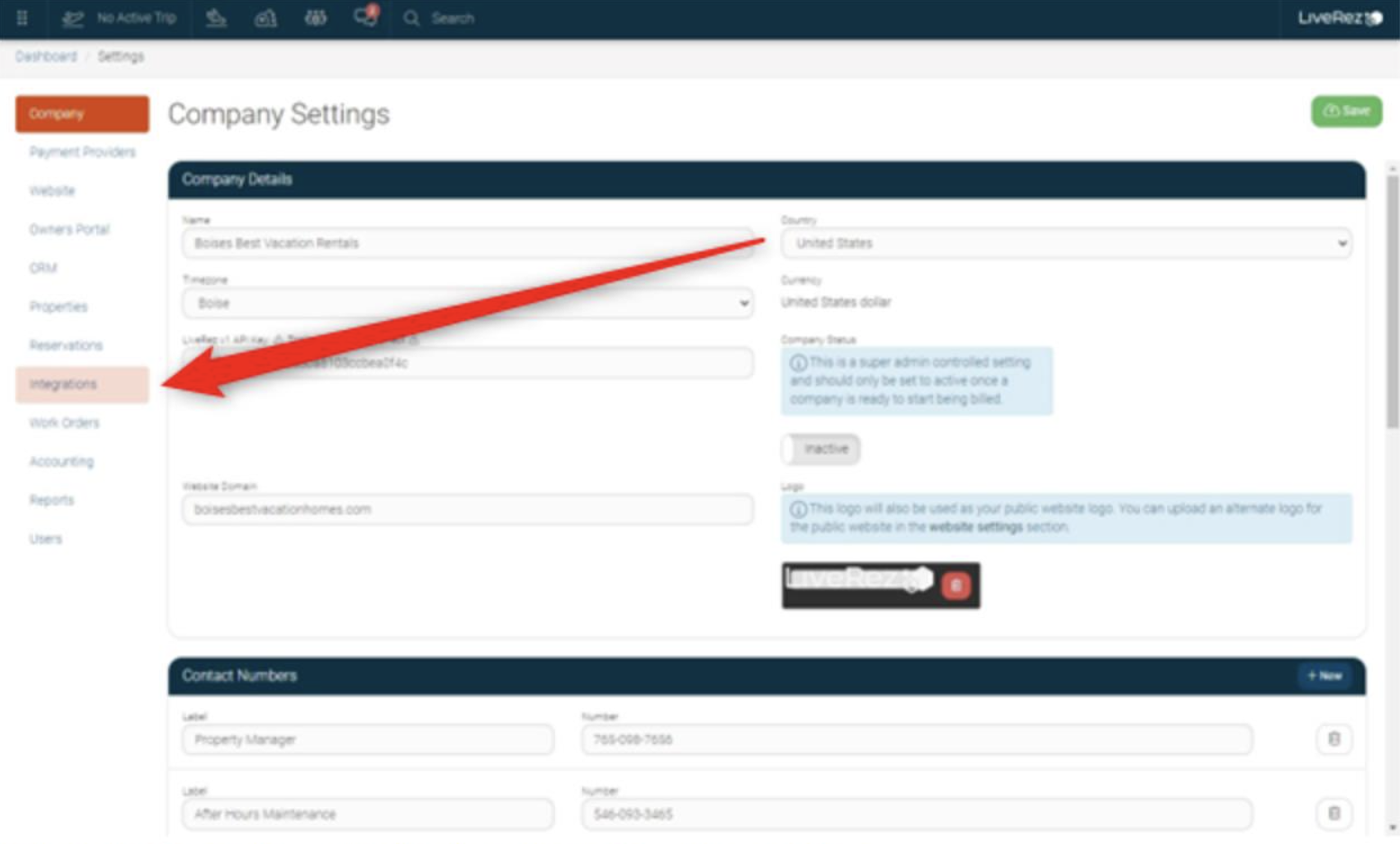
3. Click "Integrations" from the side menu
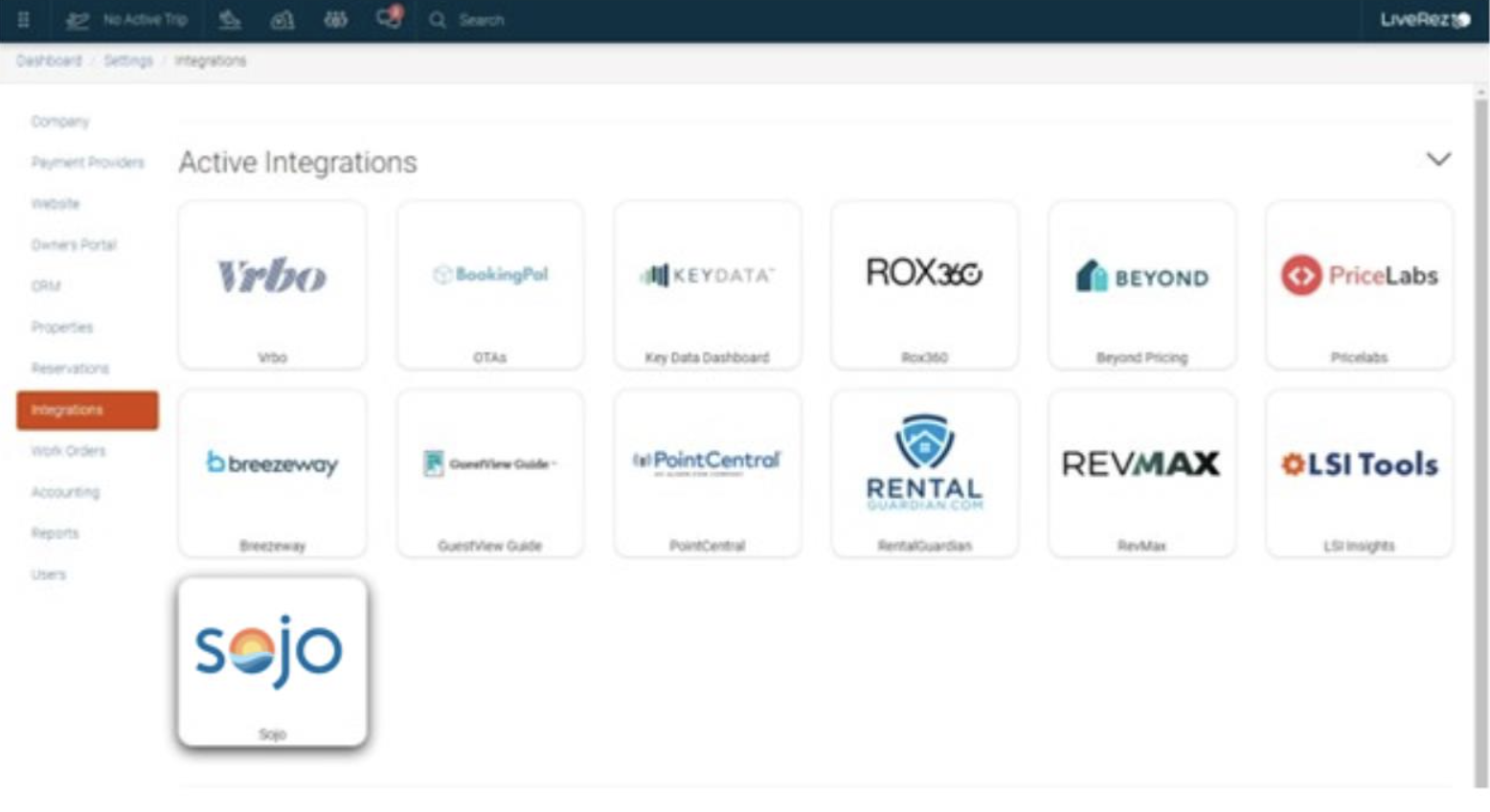
4. Select the sojo tile under the Inactive Integration section
5. Activate the integration by clicking on the activations toggle
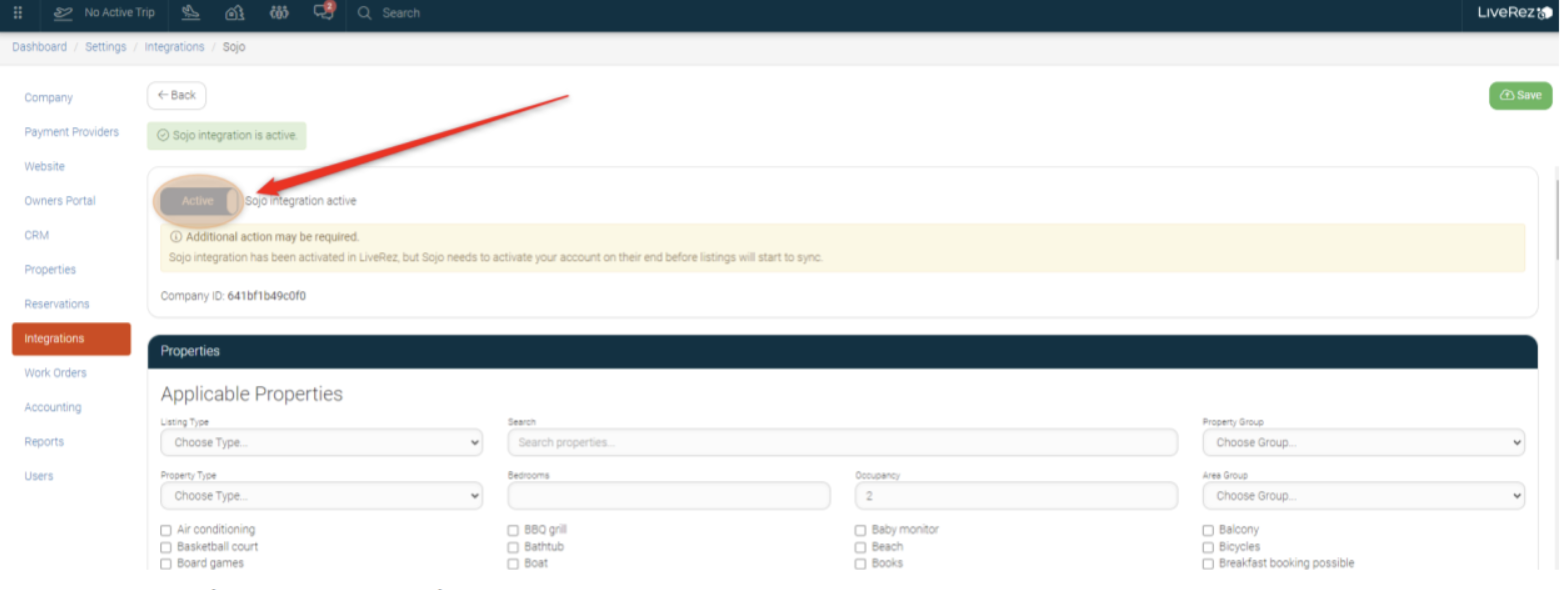
6. Select "Save" in the upper right corner
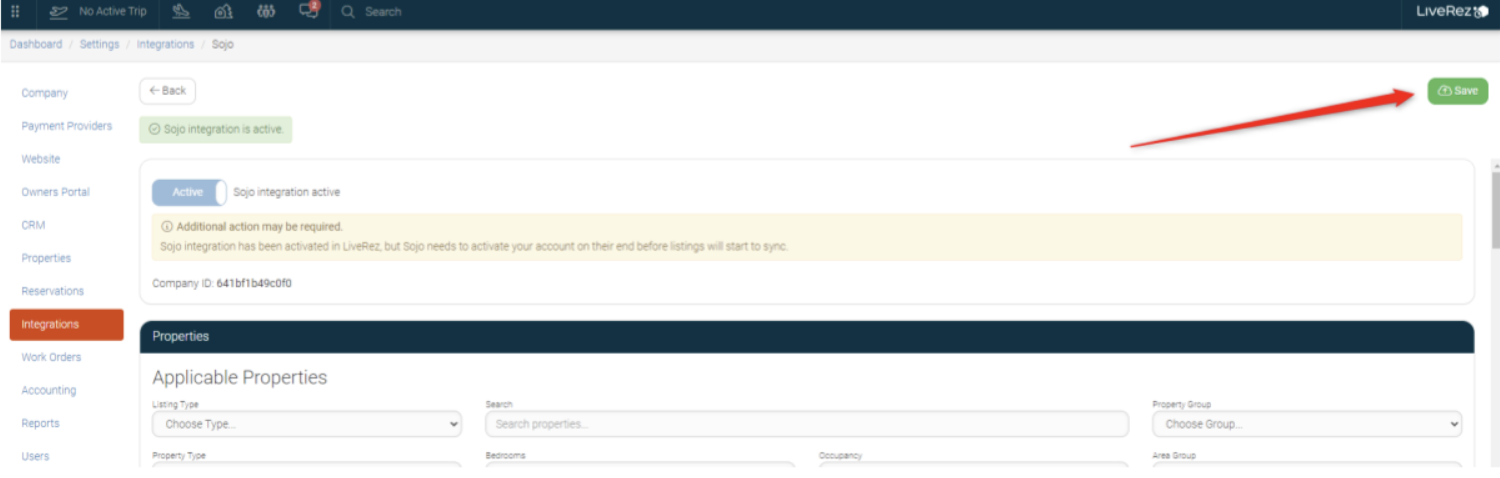
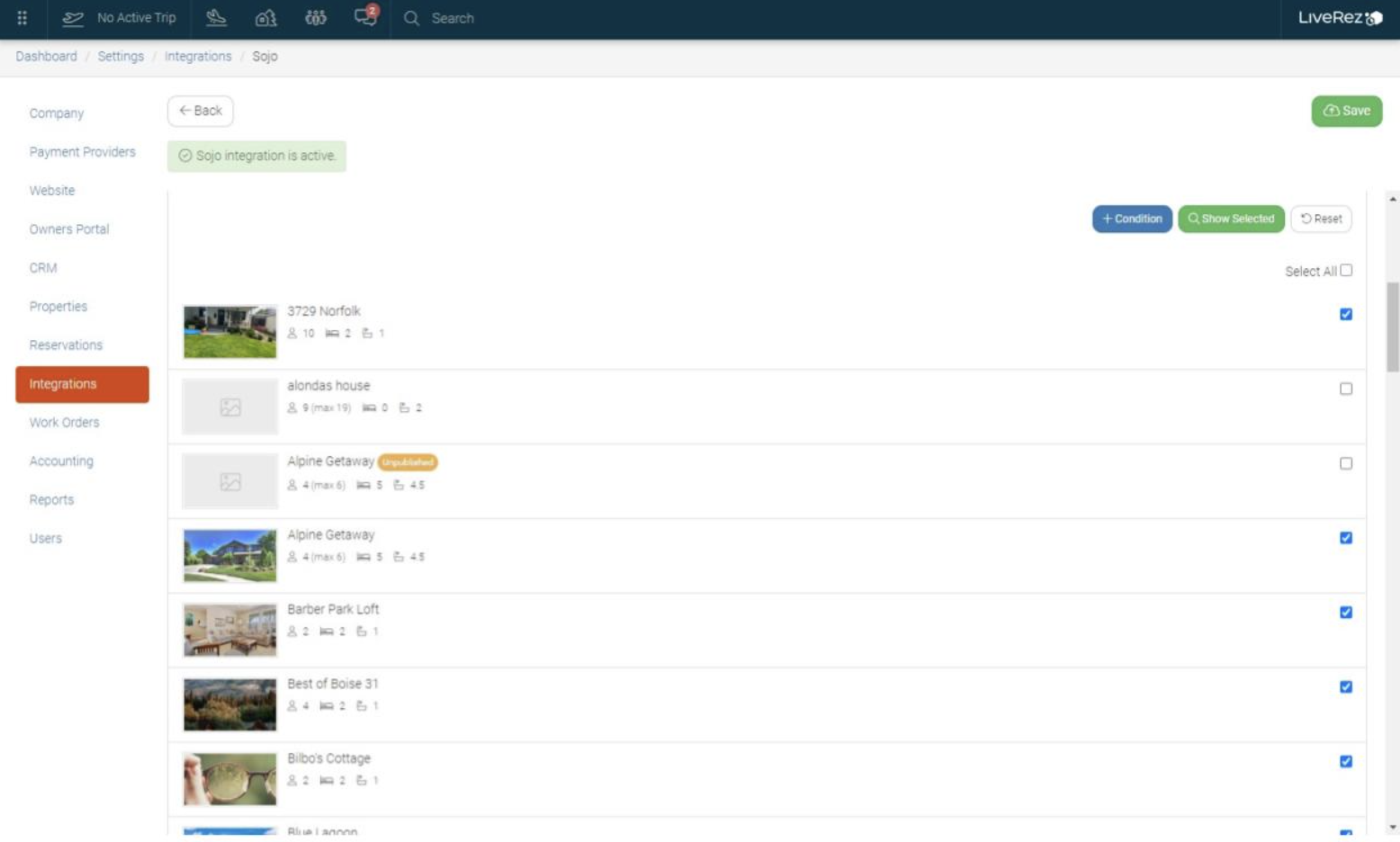
7. Next, select the properties that will be using this integration further down on the page. If you want all properties to be connected, use the "Select All" field
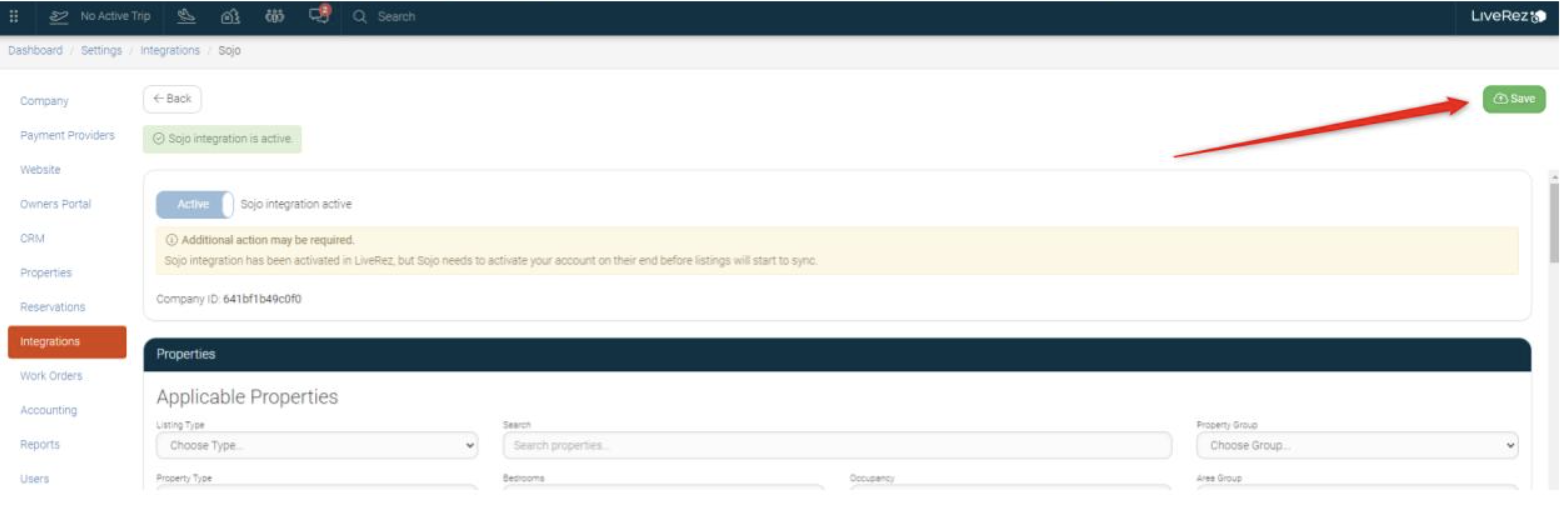
8. Click "Save" at the top of your page to save the integration settings
9. Send an email to support@getsojo.com to notify our team that you've completed these instructions! Be sure to provide your company ID. We'll take care of the rest!