![Sojo_logo_primary.png]](https://help.getsojo.com/hs-fs/hubfs/Sojo_logo_primary.png?width=80&height=40&name=Sojo_logo_primary.png)
sojo's dynamic integration with Barefoot allows sojo to get real time property and reservation data. We'll use this to ship the right amenities at the right time.
Integration Instructions:
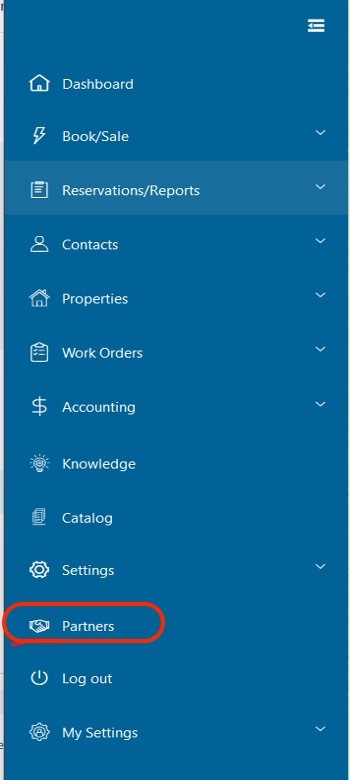
Step 1: Click Partner tab and find Sojo from that list.

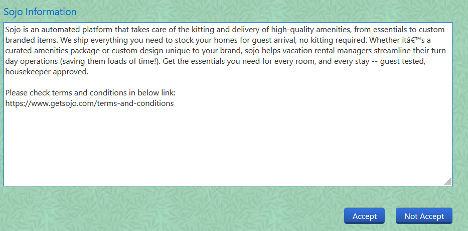
Step 2: Check Sojo’s terms and conditions and then click “Accept” button.
Step 3: Once client clicks the accept button, Barefoot will create one API account for this client and also send email notification to support@getsojo.com.
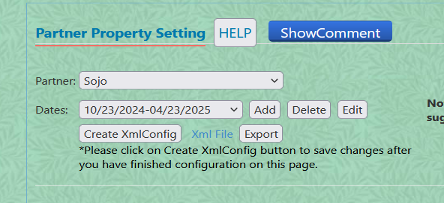
Step 4: Barefoot will add client’s all active properties for 6 months access. If client wants to remove some properties or wants to extend the dates, please go to settings -> partner settings, select “Sojo” from partner list, click Edit button for the dates and then extend dates from there. You can also add new properties or remove inactive properties from that page as needed. Please consider extending the access dates to avoid future service disruption.